GOHIGHLEVEL ANSWERS & PROMPTS: PLAYBOOK T31 · CORE GHL COMPANION SKILLS STACK
AUTHOR: DANIEL HALLMAN
KEYWORD: GHL SKILLS STACK
STEP-BY-STEP INSTRUCTIONS + ANNOTATED GHL SCREENSHOTS
Steps in GoHighLevel
-
STEP 1In Settings > Email Services > Dedicated Domain and IP (and your Cloudflare DNS zone), configure
SPF,DKIM, and a strictDMARCpolicy (v=DMARC1; p=quarantine;) alongside your Trust Center A2P campaign registration before launching client outreach.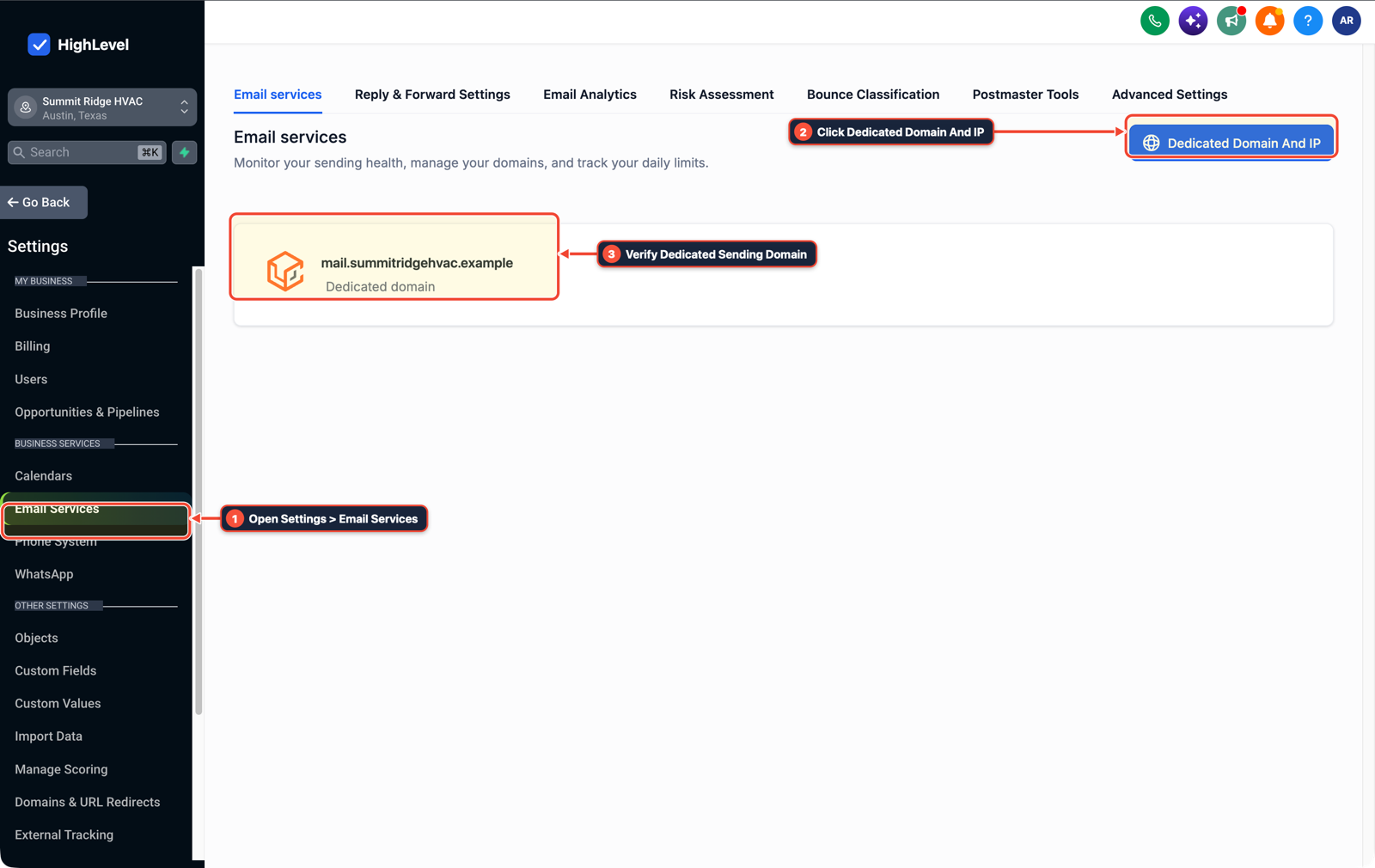
1Open Settings > Email Services 2Click Dedicated Domain And IP 3Verify Dedicated Sending Domain -
STEP 2In Settings > Private Integrations (and Automation > Workflow Builder), generate a location-scoped API v2 token for MCP tools and use native Inbound Webhook, Format Data, and Math Operation actions to parse JSON payloads without third-party middleware.
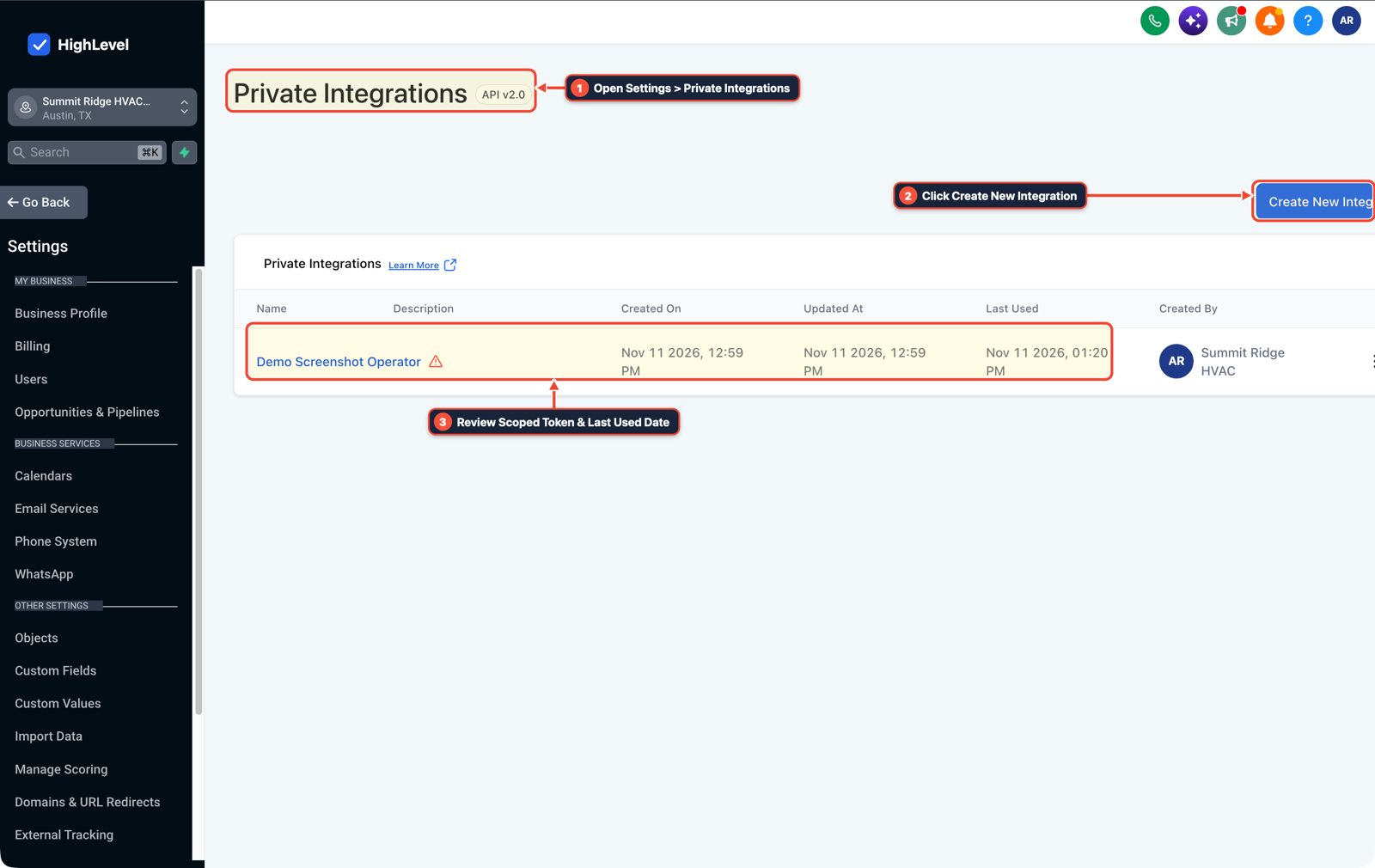
1Open Settings > Private Integrations 2Click Create New Integration 3Review Scoped Token & Last Used Date -
STEP 3In Opportunities > Pipelines (paired with Reporting > Attribution Report), trigger a workflow when a deal stage moves to
QualifiedorWonand fire the native Google Ads (gclid) and Facebook Conversion API (fbclid) actions.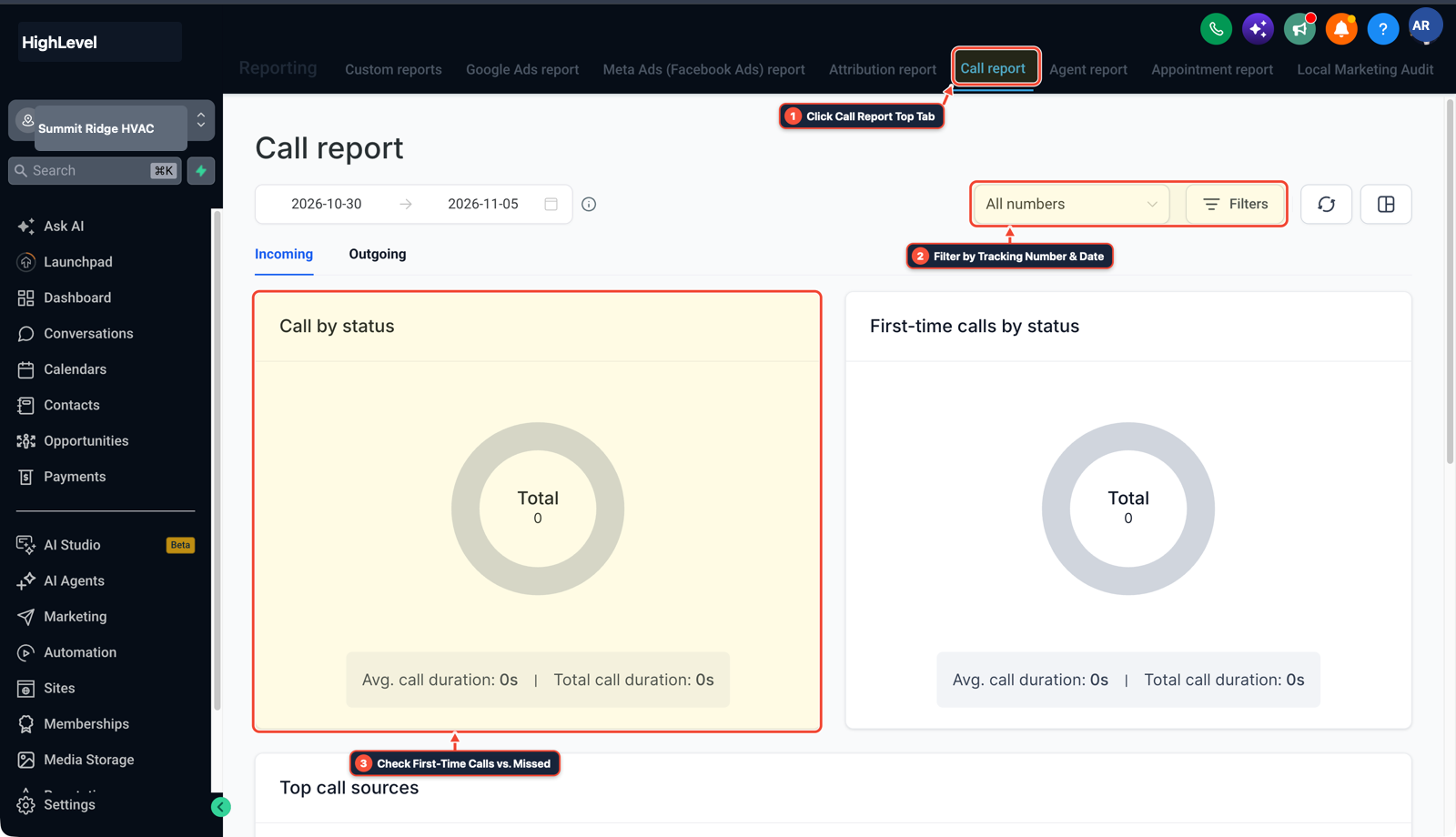
1Click Call Report Top Tab 2Filter by Tracking Number & Date 3Check First-Time Calls vs. Missed
MODE: AGENT PROMPT
PASTE INTO CLAUDE CODE, CURSOR, CHATGPT, OR GOHIGHLEVEL ASK AI
AGENT PROMPT
Set up the core deliverability, webhook, and offline attribution foundation for sub-account <YOUR_LOCATION_ID>:
1. In Settings > Email Services and Cloudflare DNS, verify SPF, DKIM, and DMARC records on the dedicated sending subdomain and confirm A2P 10DLC Trust Center status.
2. In Settings > Private Integrations, create a least-privilege token for MCP automation and replace external formatting zaps with native Format Data and Math Operation workflow steps.
3. In Automation > Workflow Builder, trigger on Opportunity Stage Changed (Qualified / Won) and fire the Google Ads and Facebook Conversion API offline conversion actions.
GHL-TOOLS MCP SERVER & CLI (DANIELHALLMAN.COM/MCP)
BUILDER + SUB-ACCOUNT TOOLS
# Verify sub-account health, DNS/email deliverability, and workflows
ghl-agency doctor --context <YOUR_CONTEXT> --location <YOUR_LOCATION_ID>
ghl-crm workflows list --context <YOUR_CONTEXT> --location <YOUR_LOCATION_ID>
Official GHL MCP vs. ghl-tools: HighLevel’s official hosted MCP (services.leadconnectorhq.com/mcp) covers public v2 CRM records (contacts, opportunities, appointments, conversations). ghl-tools MCP complements it with workflow graph inspection & recipes, funnel/form builders, DNS/BIMI checks, and ghl-crm doctor audits.
Cause
- New GoHighLevel builders often spend months learning external glue tools to format dates, split names
- or route form leads that HighLevel's native workflow actions already process for free
- while struggling when a client's emails land in spam, A2P campaigns get rejected
- or Google Ads counts spam form fills as conversions.
GoHighLevel Configuration
- Master Cloudflare DNS and Trust Center compliance first so every sub-account can actually send messages, learn JSON payload mapping inside HighLevel's native Inbound/Outbound Webhook and Format Data steps (plus Private Integrations for MCP agents)
- and wire Google Ads and Facebook Conversion API workflow actions to real pipeline outcomes.
GoHighLevel Menu Paths
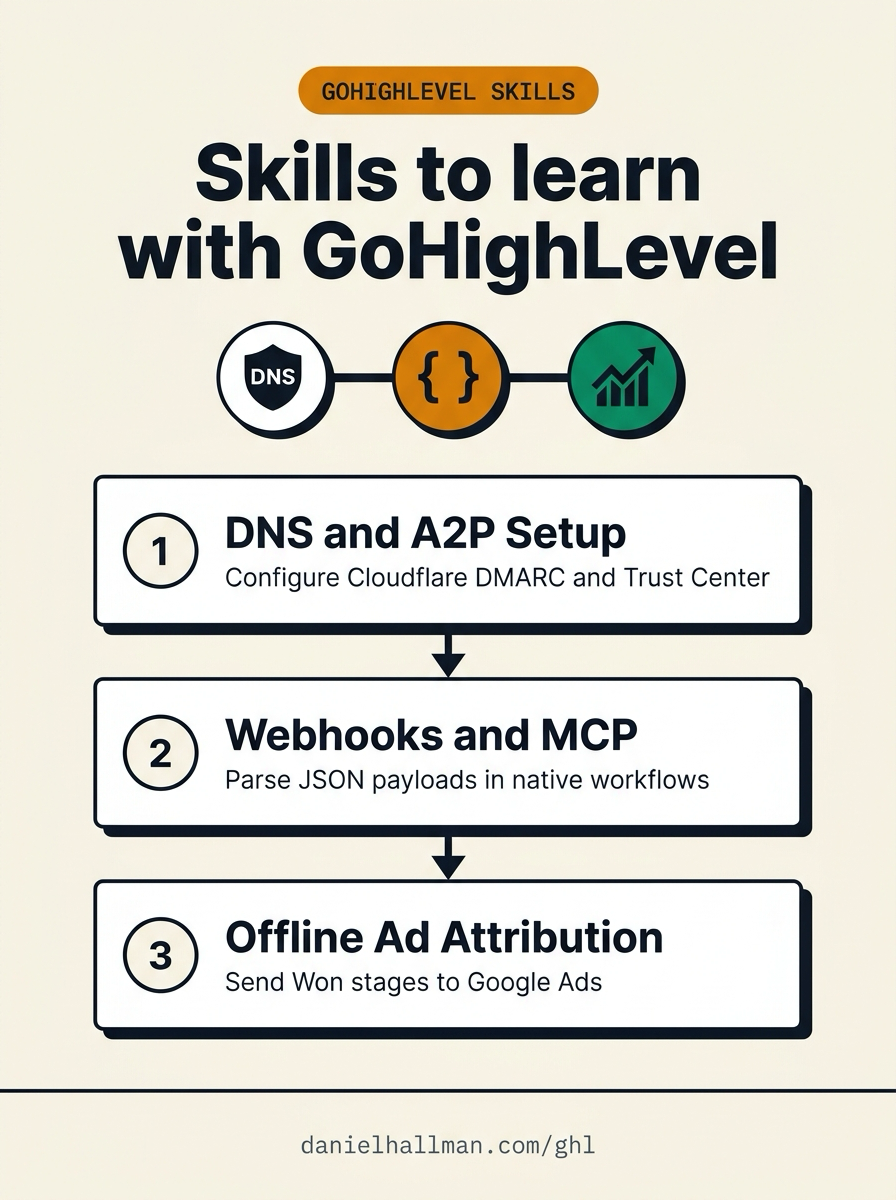
| Step | Menu Path in GHL | Action |
|---|---|---|
| Step 1 | Settings > Email Services > Dedicated Domain and IP | In Settings > Email Services > Dedicated Domain and IP (and your Cloudflare DNS zone), configure SPF, DKIM, and a strict DMARC policy (v=DMARC1; p=quarantine;) alongside your Trust Center A2P campaign registration before launching client outreach. |
| Step 2 | Settings > Private Integrations | In Settings > Private Integrations (and Automation > Workflow Builder), generate a location-scoped API v2 token for MCP tools and use native Inbound Webhook, Format Data, and Math Operation actions to parse JSON payloads without third-party middleware. |
| Step 3 | Opportunities > Pipelines | In Opportunities > Pipelines (paired with Reporting > Attribution Report), trigger a workflow when a deal stage moves to Qualified or Won and fire the native Google Ads (gclid) and Facebook Conversion API (fbclid) actions. |
DEFAULT SETUP VS. AUTOMATED WORKFLOW
Operational Comparison
Speed to Lead & Callback Safety
Caller Reply & Booking Rate
Related Questions
BUILD FASTER IN GOHIGHLEVEL · FREE TRIAL BONUSES + MCP SERVER
Build this directly inside your GoHighLevel sub-account
Connect Claude Code, Cursor, or OpenAI Codex to our ghl-tools MCP Server & Rust CLI to build workflows, forms, and funnels from your editor, or start your GoHighLevel plan through our partner link to unlock $612+ in ready-to-import kits (including GHL Operator Companion Skills Pack) and weekly live clinics.