GOHIGHLEVEL ANSWERS & PROMPTS: PLAYBOOK T32 · AI AGENT HUMAN-IN-THE-LOOP APPROVALS
AUTHOR: DANIEL HALLMAN
KEYWORD: AGENT APPROVALS
STEP-BY-STEP INSTRUCTIONS + ANNOTATED GHL SCREENSHOTS
Steps in GoHighLevel
-
STEP 1In Settings > Private Integrations, create a dedicated token for your AI agent with
Deletescopes unchecked, and storeApproved By User ID({{user.id}}) andApproval Timestampon the contact or opportunity custom fields whenever a staff member clicks approve.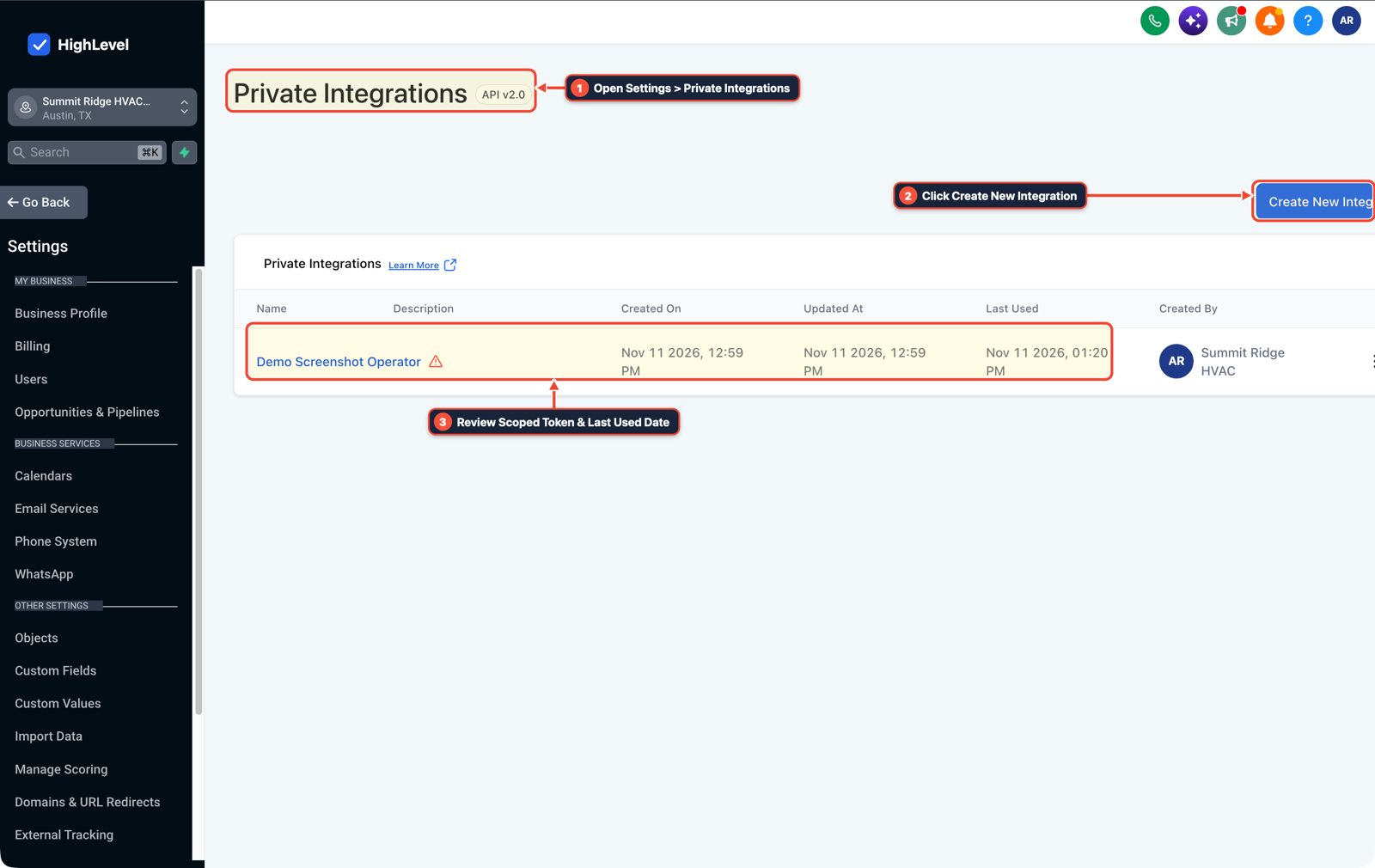
1Open Settings > Private Integrations 2Click Create New Integration 3Review Scoped Token & Last Used Date -
STEP 2In Automation > Workflow Builder, add an If/Else risk gate that lets reversible internal actions (Add Contact Tag, Update Custom Field, Add Internal Note) execute immediately while routing outbound SMS, email, calendar reschedules, and invoice actions to an approval branch.
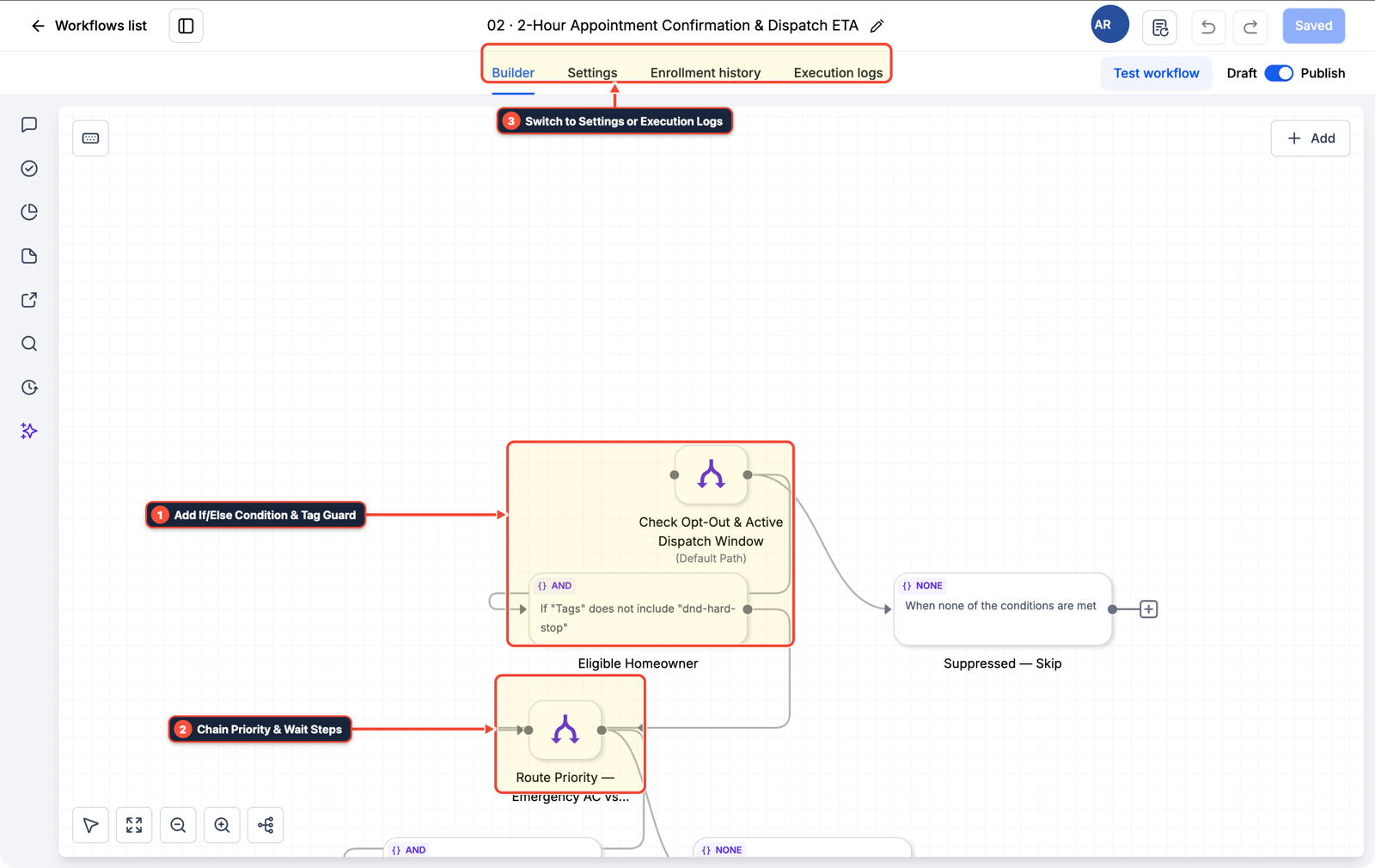
1Add If/Else Condition & Tag Guard 2Chain Priority & Wait Steps 3Switch to Settings or Execution Logs -
STEP 3In Conversations > Team Inbox, send the assigned account manager an Internal Notification containing the exact draft reply plus Approve / Edit trigger links, followed by a
15 minuteWait step that pauses the bot and assigns the thread to the human queue if unclicked.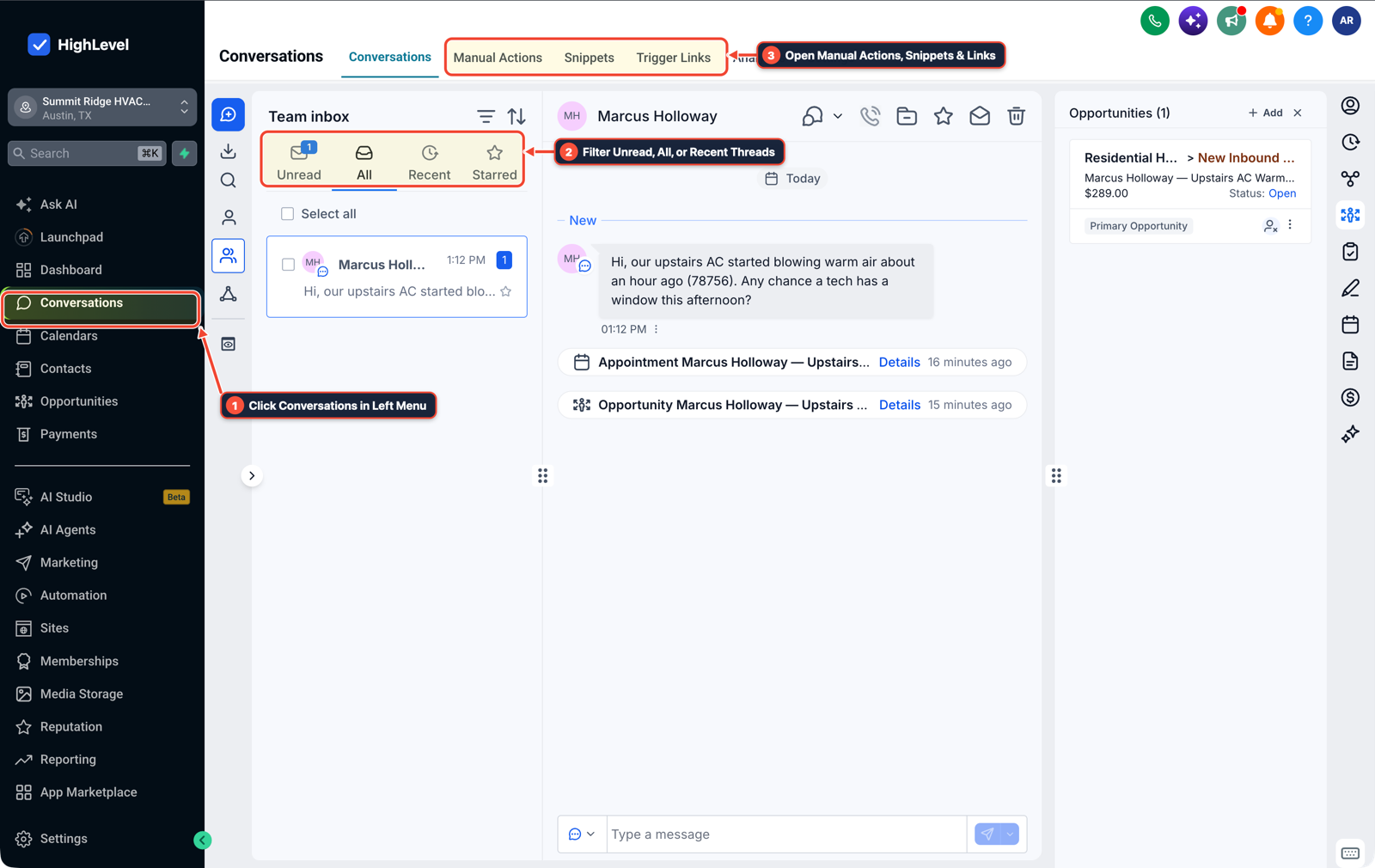
1Click Conversations in Left Menu 2Filter Unread, All, or Recent Threads 3Open Manual Actions, Snippets & Links
MODE: AGENT PROMPT
PASTE INTO CLAUDE CODE, CURSOR, CHATGPT, OR GOHIGHLEVEL ASK AI
AGENT PROMPT
Build a human-in-the-loop approval workflow for high-risk AI agent actions in sub-account <YOUR_LOCATION_ID>:
1. In Settings > Private Integrations, provision a scoped agent token without delete permissions and create Opportunity custom fields for Approved By User ID and Approval Timestamp.
2. In Automation > Workflow Builder, allow internal tags, notes, and field updates to run automatically, and branch outbound customer messages or billing actions into a pending approval stage.
3. Send an Internal Notification with the exact draft text and a 15-minute Wait for Trigger Link / Reply step; on timeout, switch Conversation AI to Off and assign the thread to the account manager in Conversations.
GHL-TOOLS MCP SERVER & CLI (DANIELHALLMAN.COM/MCP)
BUILDER + SUB-ACCOUNT TOOLS
# Audit sub-account staff roles, private integration scopes, and approval workflows
ghl-agency user-role-governance --context <YOUR_CONTEXT> --location <YOUR_LOCATION_ID>
ghl-crm workflows list --context <YOUR_CONTEXT> --location <YOUR_LOCATION_ID>
Official GHL MCP vs. ghl-tools: HighLevel’s official hosted MCP (services.leadconnectorhq.com/mcp) covers public v2 CRM records (contacts, opportunities, appointments, conversations). ghl-tools MCP complements it with workflow graph inspection & recipes, funnel/form builders, DNS/BIMI checks, and ghl-crm doctor audits.
Cause
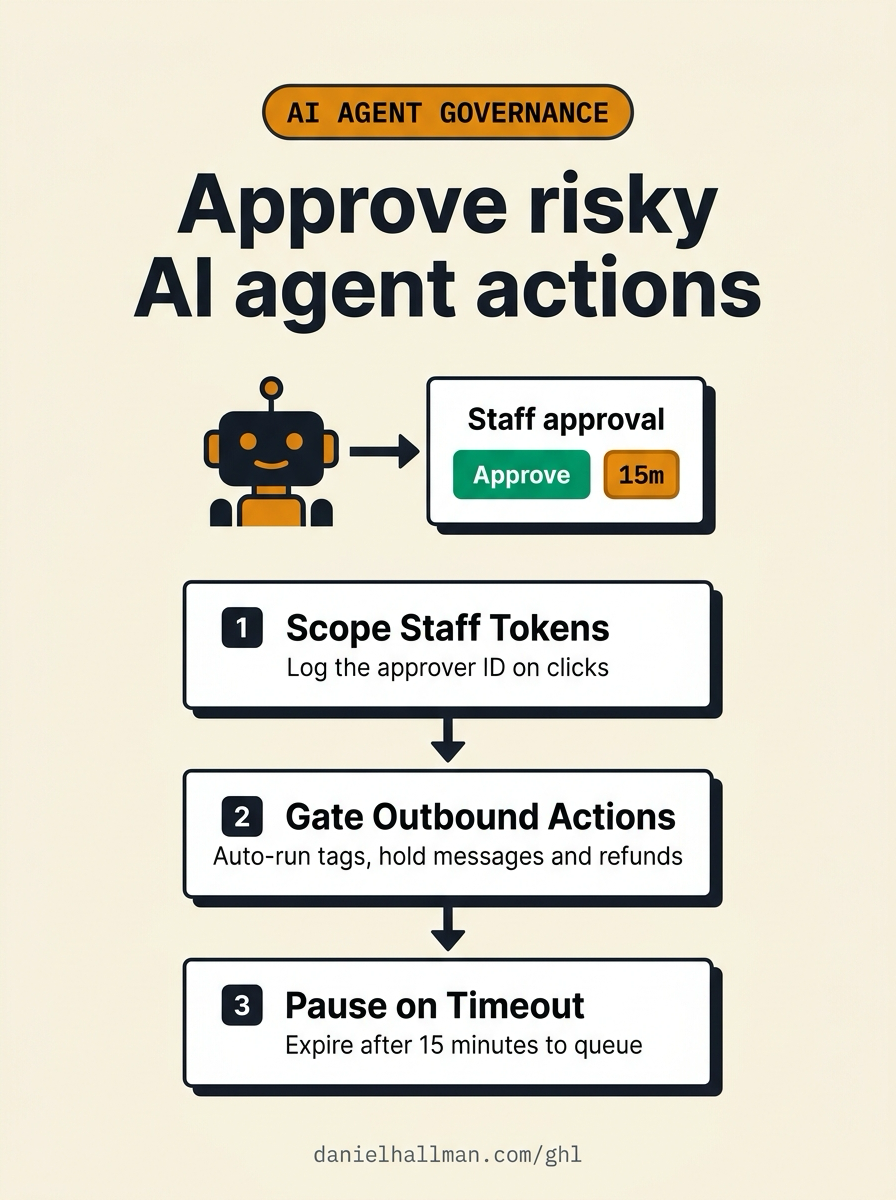
- Running an AI agent on a single shared admin OAuth token with no action tiering creates two failures: audit logs cannot show which staff member approved a bad outbound message or refund
- and routing every low-risk step to a human queue creates alert fatigue until staff click approve without reading.
GoHighLevel Configuration
- Scope your Private Integration token so destructive scopes are disabled, auto-run reversible internal CRM updates in Automation > Workflows
- and route high-impact outbound messages or stage changes to a 15-minute human approval wait step that records
{{user.id}}and falls back to the manual inbox queue on timeout.
GoHighLevel Menu Paths
| Step | Menu Path in GHL | Action |
|---|---|---|
| Step 1 | Settings > Private Integrations | Create a dedicated token for your AI agent with Delete scopes unchecked, and store Approved By User ID ({{user.id}}) and Approval Timestamp on the contact or opportunity custom fields whenever a staff member clicks approve. |
| Step 2 | Automation > Workflow Builder | Add an If/Else risk gate that lets reversible internal actions (Add Contact Tag, Update Custom Field, Add Internal Note) execute immediately while routing outbound SMS, email, calendar reschedules, and invoice actions to an approval branch. |
| Step 3 | Conversations > Team Inbox | Send the assigned account manager an Internal Notification containing the exact draft reply plus Approve / Edit trigger links, followed by a 15 minute Wait step that pauses the bot and assigns the thread to the human queue if unclicked. |
DEFAULT SETUP VS. AUTOMATED WORKFLOW
Operational Comparison
Manual Admin Work Per Client
Lead-to-Booked-Job Conversion
Related Questions
BUILD FASTER IN GOHIGHLEVEL · FREE TRIAL BONUSES + MCP SERVER
Build this directly inside your GoHighLevel sub-account
Connect Claude Code, Cursor, or OpenAI Codex to our ghl-tools MCP Server & Rust CLI to build workflows, forms, and funnels from your editor, or start your GoHighLevel plan through our partner link to unlock $612+ in ready-to-import kits (including GHL AI Agent Approval & Governance Pack) and weekly live clinics.